
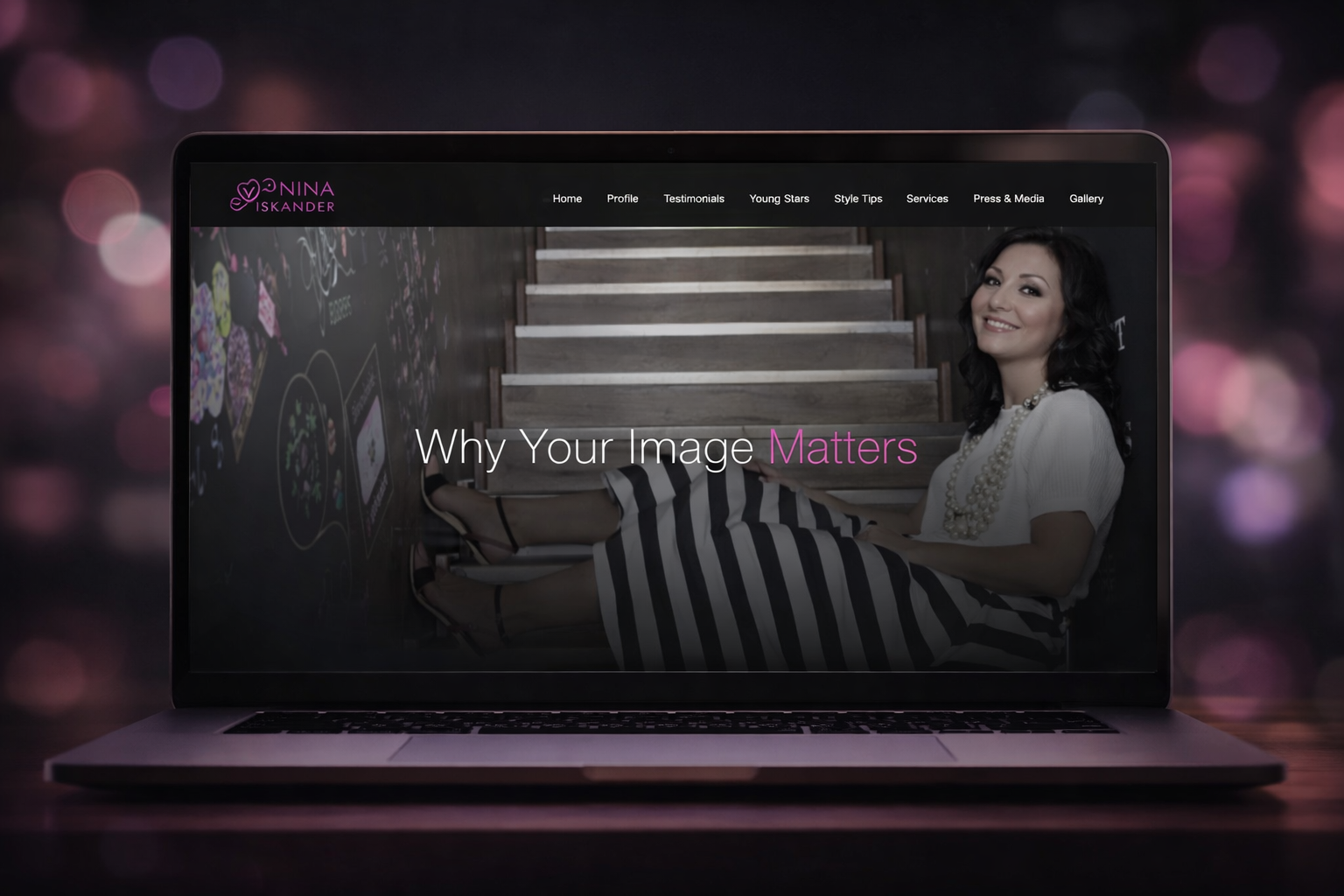
The Story
NinaIskander.com needed to feel like the digital equivalent of a premium image-consulting session: calm, confident, and immediately clear about what happens next. I took full ownership from scratch—UX, UI, WordPress development, and deployment—so strategy, design, and execution stayed tightly aligned through launch.
A premium brand wins online when every click feels inevitable.
Problem
The site had strong content potential (Profile, Services, Testimonials, Press & Media, Gallery, Contact), but the experience needed sharper structure and stronger “book a consultation” momentum—especially on mobile. The backend also required a scalable system so new posts and categories could be published without breaking layout consistency.
Goals
- Make services and credibility instantly discoverable (without overwhelming the visitor)
- Reduce friction to “Book Consultation” and “Contact”
- Create a cohesive visual system that matches a luxury, editorial brand
- Build a maintainable WordPress foundation for ongoing content growth
- Improve performance and responsiveness across devices
Process
I followed a practical, industry-standard workflow:
- Intent mapping: defined primary visitor types (prospective clients, media/press, returning readers)
- Information architecture: organized navigation to match user intent and reduce dead-ends
- Wireframing: established hierarchy, CTA placement, and scroll rhythm before styling
- UI system design: typography scale, spacing rules, and reusable components for consistency
- Content pass: ensured headings, microcopy, and calls-to-action stayed human and action-oriented
Design Decisions
- Clean, whitespace-forward layouts to keep attention on outcomes and expertise
- Trust cues positioned near decision points (testimonials, press mentions, experience signals)
- Clear page patterns across categories (Services, Testimonials, Press, Gallery) so users learn the interface once
- Mobile-first navigation to minimize cognitive load and keep key actions one tap away
Technical Implementation
- Custom WordPress theme build with reusable templates for core sections and post categories
- Block-based editing approach to support flexible, on-brand page creation
- Performance optimization (compressed assets, minimized scripts, lazy-loading where appropriate)
- Accessibility-minded structure (semantic headings, focus states, readable contrast and type sizing)
- Deployment with staging QA, cross-browser testing, and post-launch monitoring
Challenges
- Balancing editorial visuals with fast loads: optimized media and deferred non-critical assets to preserve feel without sacrificing speed
- Keeping flexibility without inconsistency: created a component library and template rules so new content remains visually cohesive
Measurable Results
In pre-launch QA and launch verification:
- Achieved 90+ Lighthouse Performance on key templates in staging and after deployment
- Reduced layout shifts and improved mobile usability through consistent spacing and type hierarchy
- Increased CTA visibility by placing “Book Consultation” at predictable scroll checkpoints across key pages